
Release 0.6.2
Faster triage with actions that stay close to the alert.
v0.6.2 turns the Problems flow into a tighter working surface, with inline actions, remembered organization controls, richer detail context, and cleaner follow-through from notifications.
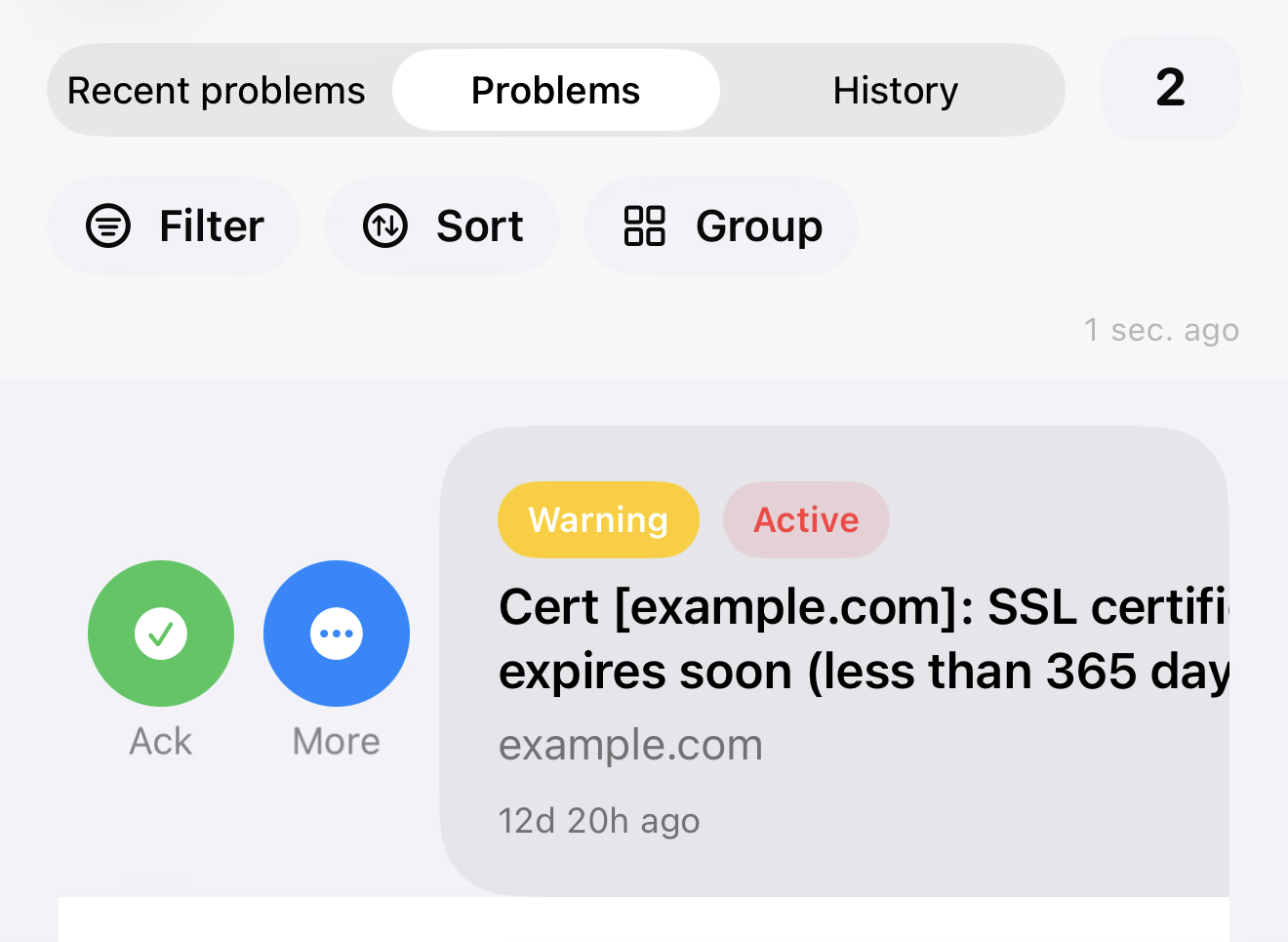
Problem actions
Triage happens in the list, not around it.
Swipe actions and the expanded action sheet keep acknowledge, severity, suppression, and follow-up controls directly inside the working queue, so the operator stays in context instead of bouncing through menus.
Problem details
More useful context lands directly under the problem.
Problem Details now carries latest values and relative timestamps, which makes it easier to judge freshness and read nearby signals without switching into a separate data-browsing flow.
Sorting and grouping
The view stays organized the way the operator left it.
Grouping and sorting now behave like durable workspace controls instead of one-off view tweaks, making it easier to keep Problems and Hosts aligned with how a team scans incidents.
Push follow-through
Notification actions feed more cleanly into the active workflow.
Push-driven acknowledge actions now align better with the in-app state, reducing the gap between acting from a notification and seeing the updated problem inside the queue.
iOS App Functionality
v0.6.2 expands day-to-day problem triage controls and improves both persistence and visual polish across the app.
- Added latest problem values with relative timestamps, so recent context is easier to read at a glance.
- Added problem actions for acknowledge, unacknowledge, and single-item refresh directly in triage flows.
- Added support for using active problem actions in Recent mode, not only in Active mode.
- Improved gesture behavior by prioritizing problem swipe actions over the side-menu drag interaction.
- Added persisted grouping preferences for Problems and Hosts views, so chosen grouping is remembered.
- Added persisted problem sorting and renamed sorting wording from Priority to Severity for clearer terminology.
- Improved push-notification action handling so problem updates are reflected more reliably after notification interactions.
- Improved launch screen layout and branding with centered, cleaner logo and title presentation.